 BestSubscribers
7 Best Newsletter Attribution Tools Compared (For Creators Who Sell Through Email)
For most creators selling courses, coaching, or digital products through their newsletter, BestSubscribers ($19/mo) is the only purpose-built attribution tool that tracks the full content → subscriber → purchase chain.
SegMetrics ($57–397/mo) is more powerful if you run paid ads. GA4 and manual spreadsheet methods work free but don't scale.
After building BestSubscribers and processing attribution data for over 30,000 subscribers, I researched over 20 tools across every major category — ad attribution, web analytics, privacy-focused analytics, ecommerce tracking, and marketing analytics.
I tracked my own newsletter revenue manually for 5 years. When I finally audited the data, $81,000 in revenue had no source attached to it. I couldn't tell you which content, which channel, or which campaign generated that money. Every tool except one was built for ecommerce brands or paid ad buyers — not the content → email → purchase model creators actually use.
This guide compares the 7 tools that come closest to solving newsletter attribution — what each one does, what it doesn't, who it's actually for, and what it costs.
What to look for in a newsletter attribution tool
Before jumping into the comparison, here are the criteria that matter for a creator who sells through a newsletter:
-
Source-level tracking. Does it capture where each subscriber originally came from? Not just "someone visited your website from Google" — but "this specific subscriber came from YouTube."
-
Revenue connection. Does it connect subscriber source data to actual revenue events? Knowing where subscribers come from is only half the picture. You need to know which sources produce buyers.
-
Platform compatibility. Does it work with your email platform (Kit, Substack, beehiiv, Mailchimp, MailerLite, etc.) or is it locked to one?
-
Automation vs. manual. How much ongoing work does it require? Do you need to maintain spreadsheets every month, or does it run on its own?
-
Real-time data. Can you see revenue by source right now, or only after a monthly export and a few hours of spreadsheet wrestling?
-
Creator-specific design. Was it built for the newsletter/creator business model, or adapted from ecommerce or ad tracking?
The best newsletter attribution tool connects three things: where a subscriber came from, who they are, and how much revenue they've generated — what I call the 3 S's of Subscriber Intelligence (Source, Subscriber, Sale).
Most tools only cover one or two.
Google Analytics 4 (GA4) + manual UTM tagging
What it does: Free website analytics platform. Tracks traffic sources, user behavior on your website, and conversion events — if you set them up manually.
Best for: Creators who want free traffic source data and are comfortable with significant technical setup.
Tracking capabilities
Source tracking works through UTM parameters, but requires manually creating and maintaining tagged URLs for every channel.
GA4 tracks website sessions, not subscriber journeys. It can tell you someone visited from YouTube. It can't tell you that person subscribed, then bought your course four months later.
To get anything close to subscriber-level attribution, you'd need custom events, Zapier workflows, Google Sheets matching, and a lot of duct tape.
According to a 2024 Databox survey, only 26% of marketers say they're confident in their GA4 data accuracy.
The DIY approach: GA4 + Google Sheets
Some creators try to bridge the gap by exporting GA4 data and subscriber/sales data into Google Sheets, then manually matching by email address. I walk through the full process in our guide on how to track newsletter revenue by source.
It works — but it takes 2–4 hours of manual effort every month. Data is always stale by the time you finish the export-match cycle. And as I explain in the revenue-by-source guide, the manual matching breaks down once you factor in email mismatches, payment plans, refunds, and re-subscribers.
Doesn't scale past ~500 subscribers without the spreadsheet overhead becoming a part-time job.
Pricing and limitations
Free. But the GA4 interface is notoriously unintuitive — even experienced marketers struggle with it.
A 2023 Orbit Media study found that 73% of content marketers weren't confident using GA4 after the switch from Universal Analytics.
Verdict: Free and powerful for website analytics. But repurposing it for newsletter revenue attribution is like using a screwdriver as a hammer — technically possible, practically painful. The DIY spreadsheet approach works as a starting point, but plan to outgrow it.
beehiiv 3D Analytics
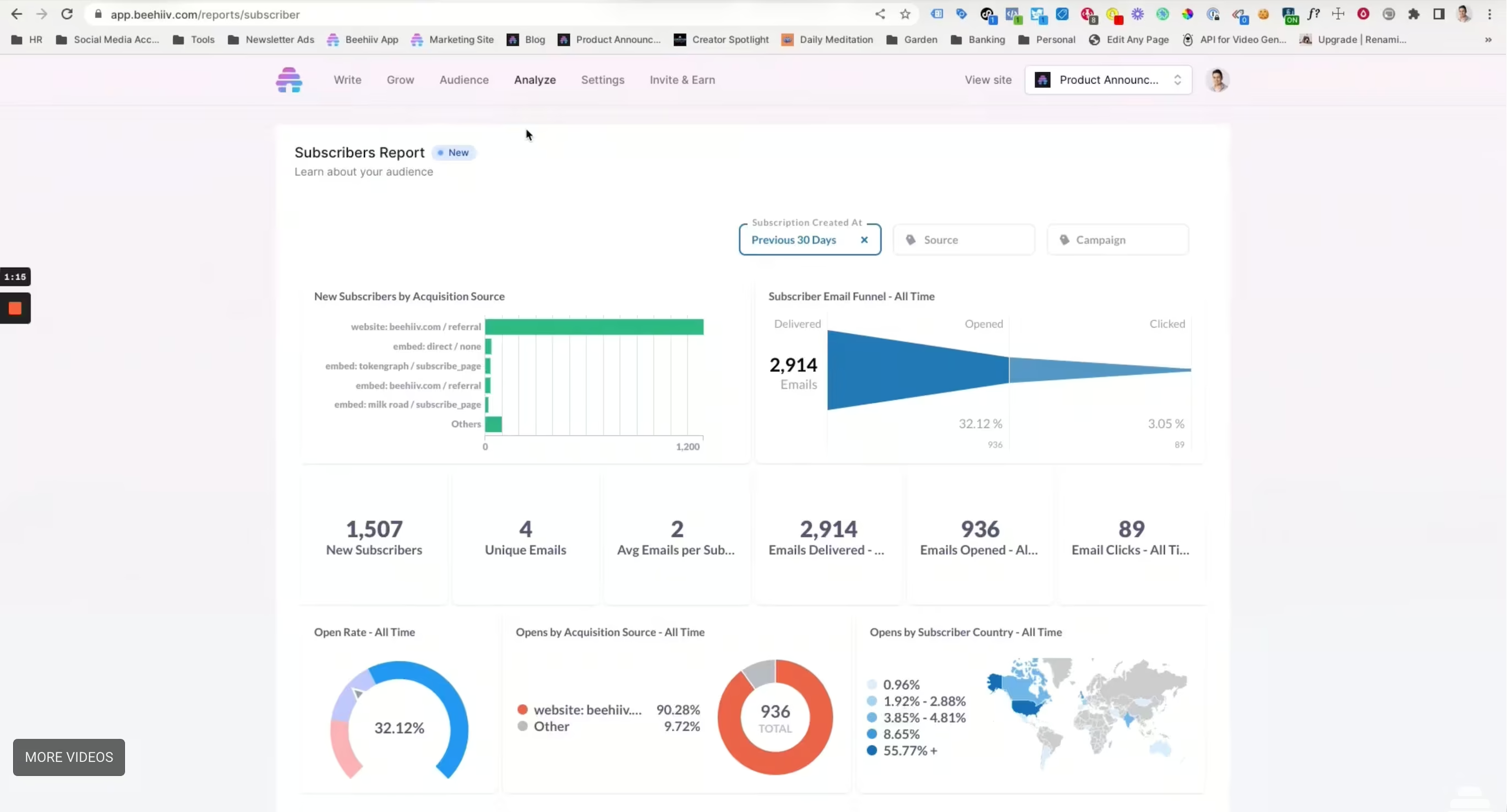
What it does: beehiiv's built-in analytics that track channel, source, and medium for subscriber acquisition. The most advanced native analytics of any newsletter platform.
Best for: beehiiv users who want to understand where their subscribers come from without adding external tools.
What it tracks (and what it misses)
beehiiv captures channel, source, and medium — but only for external links that carry UTM parameters. If someone clicks a tagged link from your YouTube description or a tweet with UTMs, beehiiv sees that.
But it can't track which specific newsletter issue or article drove a subscription.
If a reader finds one of your beehiiv posts through a recommendation, a search engine, or a direct share — beehiiv has no way to attribute that subscriber to a specific piece of content.
By our estimates, this gap means losing attribution on at least 48% of your subscribers.
Revenue connection
None.
Even for the subscribers it does track, beehiiv doesn't connect source data to revenue outcomes. You can see that 300 subscribers came from YouTube. You can't see whether those 300 subscribers ever bought anything or how much they spent.
And you're locked to beehiiv — if you switch to Kit, Substack, or anything else, you lose the analytics entirely.
Pricing: Included in beehiiv plans.
Verdict: Best native newsletter analytics available — but it only tracks external UTM-tagged traffic (missing roughly half your subscriber sources), doesn't connect any of it to revenue, and locks you to one platform. It covers part of one S out of three.
BestSubscribers
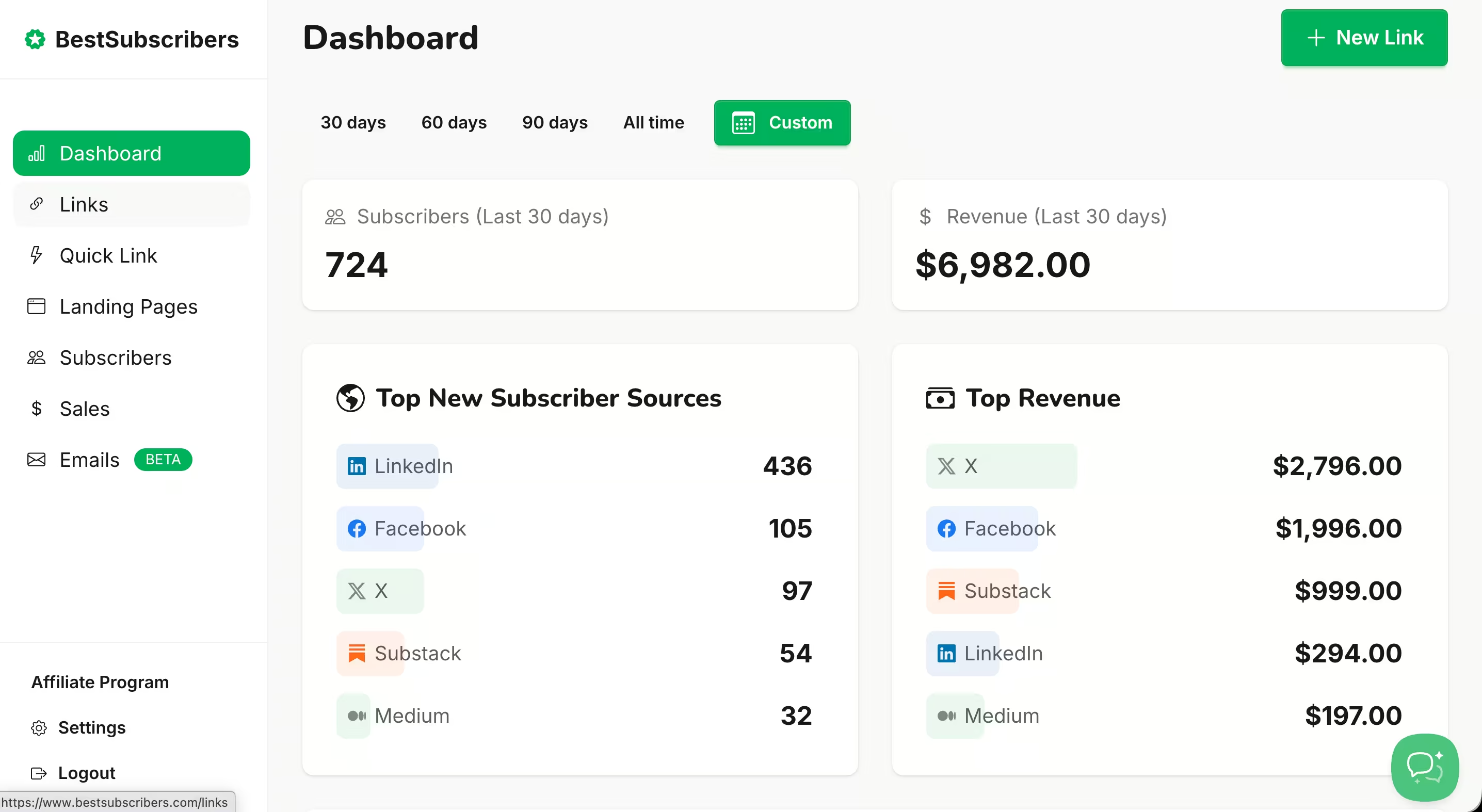
What it does: Purpose-built Subscriber Intelligence for newsletter creators. One tracking snippet installed on your signup page. It automatically captures the acquisition source for every subscriber and maps it to all revenue events in real time.
Best for: Newsletter creators who sell courses, coaching, paid newsletters, digital products, or any combination — and want to know which growth channels produce buyers.
Tracking capabilities
The snippet captures source data at the moment of signup — not just from UTM parameters but from referral data and other signals. No manual UTM management required after installation.
A subscriber who came from YouTube and buys your course, then your coaching program, then your membership? All three revenue events trace back to YouTube automatically.
Works with Kit (ConvertKit), MailerLite, AWeber, and Go High Level on the email side. For payments, it connects to Stripe, Teachable, ThriveCart, LemonSqueezy, PayPal, and Gumroad. And for websites, it works with WordPress, Ghost, Squarespace, Webflow, Wix, Kajabi, and any custom site that supports a header snippet.
Dashboard updates in real time — no monthly exports, no stale data.
Pricing and limitations
$19/month. Free trial available. Start here.
Being honest about the limitations: BestSubscribers is a newer tool with a smaller user base than established platforms like SegMetrics.
The integration list is growing — currently no native connections with beehiiv, Substack, or ActiveCampaign.
There's no multi-touch attribution modeling (it uses first-touch only). The system does attempt to match existing subscribers after setup, but attribution data won't be perfect for your historical list — the real value kicks in from the moment you install forward.
And if you need team collaboration, role-based access, or agency-level reporting, those features aren't there yet.
Verdict: The only tool I found — out of 20+ researched — that's built specifically for the content → subscriber → purchase chain that defines how newsletter creators make money. Focused and affordable, but still early-stage with a limited integration footprint.
SegMetrics
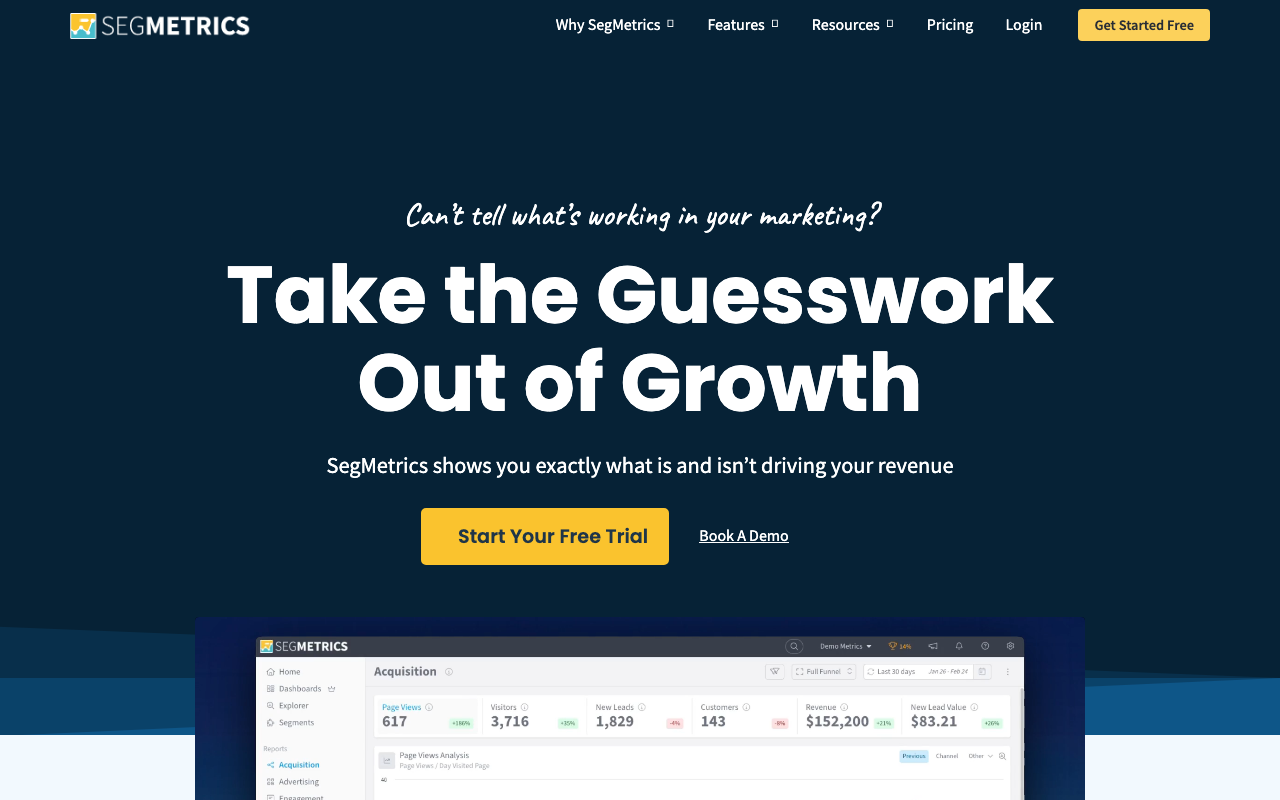
What it does: Full-funnel marketing analytics and attribution platform with 100+ native integrations. Connects data from ad platforms, email tools, and payment processors into a unified dashboard. Used by 3,000+ digital marketers and agencies.
Best for: Digital marketers running paid ads with complex funnels, info-product businesses with significant ad spend, and marketing agencies managing multiple clients.
Tracking capabilities
Captures traffic sources through UTM parameters, ad platform integrations, and referral data. Multi-touch attribution models (first-click, last-click, linear, time-decay, custom) let you choose how credit is distributed across touchpoints.
Named-person tracking means you can see which specific individual converted, not just anonymous cohort data.
Integrates natively with Kit (ConvertKit), ActiveCampaign, Drip, Mailchimp, HubSpot, and others. Kit actually partnered with SegMetrics to power its "Insights Dashboard" on the Creator Pro plan.
Revenue connection through Stripe, PayPal, SamCart, and other payment integrations.
Pricing and limitations
Contact-based pricing that scales with your list size.
The Launch plan starts at roughly $57–95/month (depending on annual vs. monthly billing). The Grow plan is around $175/month with advanced reporting. The Scale plan is roughly $397/month with a dedicated account manager.
14-day free trial and 30-day money-back guarantee.
The complexity is real. Building custom reports requires genuine data literacy — you need to understand attribution models, funnel stages, and how to configure reports to get useful answers.
The product's core strength is ad attribution and ROAS, though it also handles email funnel analysis (which sequences convert, which don't). Still, if you're not running paid traffic, most of the feature set goes unused.
Contact-based pricing also penalizes newsletter-first businesses — a creator with 50,000 subscribers but modest course sales pays significantly more than the base price for features they'll never touch.
Verdict: The most powerful tool on this list. If you're running paid ads and have a complex multi-step funnel, it's a strong choice. But for a solo creator who grows through organic content? It's like using a Formula 1 car for grocery runs — impressive machine, wrong errand.
DataFast (datafa.st)
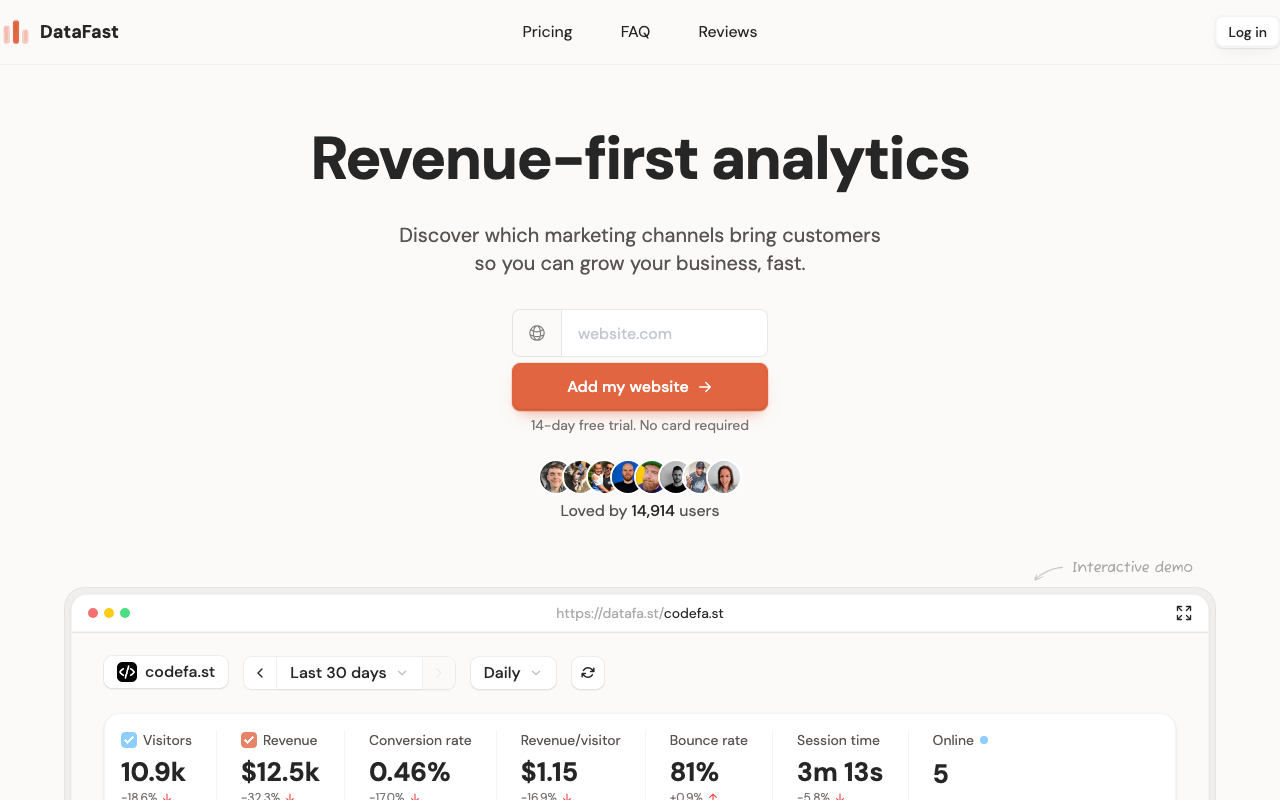
What it does: Revenue-first web analytics platform built by indie hacker Marc Lou (Product Hunt's Maker of the Year 2023). Connects website traffic data directly to Stripe revenue.
Best for: Indie hackers, SaaS founders, and digital product creators who want to see which website traffic sources generate paying customers.
Tracking capabilities
Tracks traffic sources to your website and connects them to payment events.
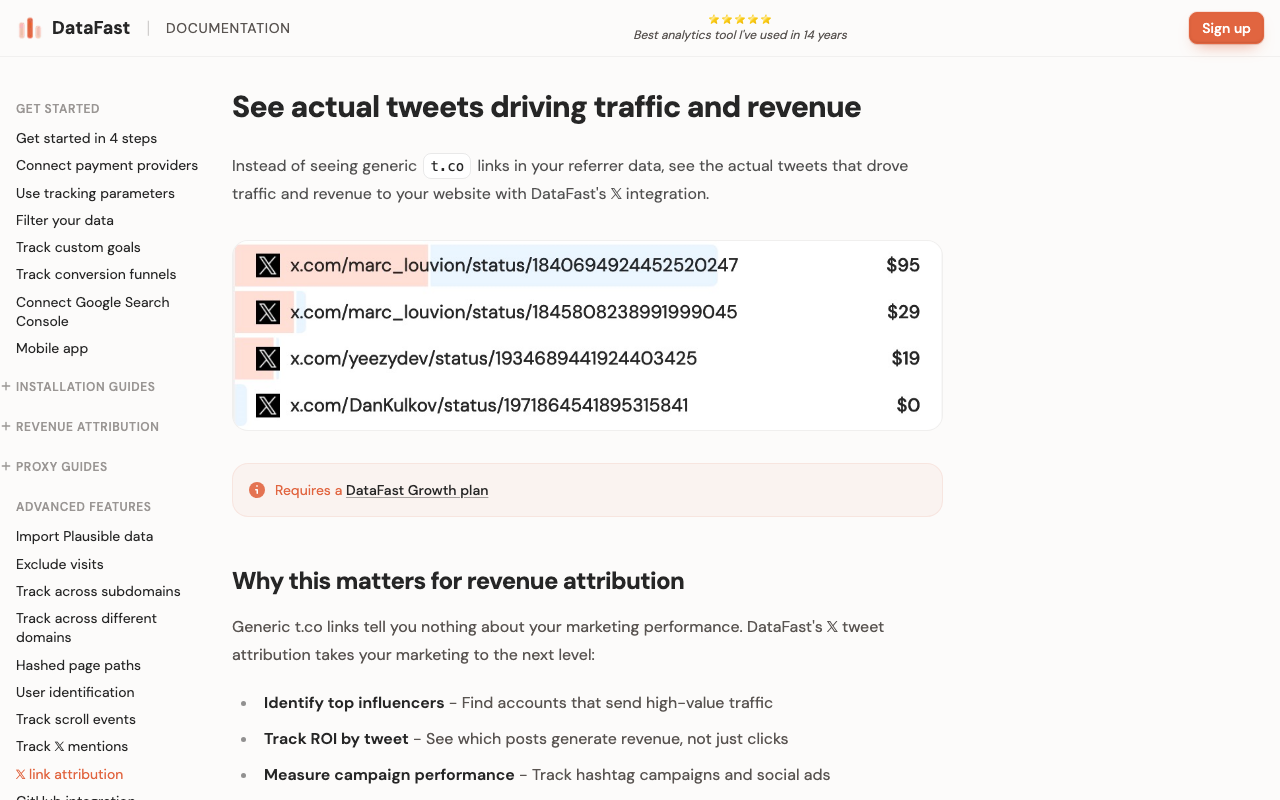
Has a unique X/Twitter tweet attribution feature that automatically scans for website links in your tweets and attributes traffic and revenue to specific tweets — replacing the generic t.co referrer that normally hides tweet-level data. That's a genuinely clever feature. Note: this feature requires their Growth plan ($19/mo).
Revenue connection exists — but at the website visitor level, not the subscriber level.
DataFast tells you: "Visitors from Twitter converted at 2.3% and generated $4,200 in Stripe revenue this month."
It doesn't tell you: "That specific tweet about productivity brought 12 email subscribers, and 3 of them purchased your $497 course."
Pricing and limitations
DataFast uses event-based pricing.
The more traffic you get, the more you pay.
It starts at $9/month for 10K events. The Growth plan is $19/month for 100K events.
But DataFast is website analytics, not newsletter analytics. There are no email platform integrations — it doesn't work with Kit, MailerLite, beehiiv, or any email provider.
You'd have to glue things together yourself.
Payment processor support covers Stripe, LemonSqueezy, Polar, Shopify, and Paddle — but no PayPal, Gumroad, Teachable, or Thrivecart.
Verdict: Excellent product for website-level revenue analytics. But it's website-centric while newsletter businesses are email-centric. For creators whose business flows through email, DataFast solves a different (and complementary) problem — it could work alongside a subscriber-level attribution tool.
SparkLoop

What it does: Newsletter growth and referral platform. Tracks subscriber referrals, recommendation swaps, and subscriber lifetime value within its referral ecosystem.
Best for: Creators focused on growing through newsletter recommendations and referral programs.
Tracking capabilities
Excellent at tracking how many subscribers came from a newsletter swap partner or a referral program. Has subscriber LTV data within its referral network.
But it doesn't track YouTube, podcast, SEO, social media, guest posts, or any other organic acquisition channel.
If your biggest revenue-generating subscribers came from your podcast or your YouTube channel, SparkLoop has no visibility into that.
Pricing and limitations
Paid plans based on subscriber count. Integrates with multiple newsletter platforms.
SparkLoop is a growth tool, not an attribution tool. It tracks one specific acquisition channel — referrals and recommendations.
If your growth comes from a mix of YouTube, podcasts, SEO, social media, and referrals, SparkLoop only covers the last one.
Verdict: Strong for referral-specific growth data. Not a replacement for full multi-channel attribution.
What about Hyros, Triple Whale, and the other ad trackers?
You might have heard of these tools — especially Hyros, which gets recommended by a lot of course creators and marketing gurus.
I researched them all. They're not in the comparison above for a reason.
Hyros is an AI-powered ad tracking platform. Pricing isn't public — you need a sales call just to get a quote. Based on what's been reported, paid traffic plans start around $230/month with a 12-month contract (meaning you're committing $2,760+ upfront). It's built for businesses spending $20K+ per month on paid ads.
Setup isn't quick either. Expect multiple onboarding calls, a dedicated account manager walkthrough, and potentially weeks before tracking is fully configured.
If you're a creator doing organic content marketing — YouTube videos, blog posts, podcast interviews, newsletters — Hyros can't track any of that.
Also worth knowing: nearly every "Hyros review" you'll find on Google is written by an affiliate earning commissions on signups. Hyros runs a generous affiliate program that skews search results. Keep that in mind when reading glowing five-star reviews.
Triple Whale, Wicked Reports, and Northbeam are built for ecommerce brands attributing paid ad spend to purchases. Triple Whale starts around $199/month (with a free basic dashboard for Shopify stores). Wicked Reports and Northbeam require sales calls, with pricing ranging from $250 to $3,500+ per month. None of them track blog posts, YouTube videos, or podcasts driving email subscribers. None integrate with creator email platforms.
Cometly and RedTrack are paid ad attribution tools for media buyers. Cometly doesn't list pricing publicly — you need to book a demo call to get a quote. Some users have reported plans starting around $99/month, scaling with ad spend. Like Hyros, Cometly requires a guided onboarding process (not self-serve). RedTrack targets affiliate marketers and performance advertisers, starting around $120–150/month. Neither has any concept of the content → subscriber → purchase chain.
Mixpanel and PostHog are product analytics tools for software teams. They track what users do inside web apps. Powerful for SaaS products. Irrelevant for tracking which tweet brought you a subscriber who bought your course.
Plausible, Fathom, Simple Analytics, Pirsch, and Cloudflare Web Analytics are privacy-focused website analytics tools. They track traffic and some (like Plausible and Fathom) offer basic ecommerce revenue tracking at the website level. But none have email platform integrations and none offer subscriber-level attribution. They can tell you a page got 2,000 views — they can't tell you which of those visitors subscribed or bought.
All excellent tools — for the problems they solve. None of them answer the question newsletter creators actually need answered.
Quick comparison
| Feature | GA4 + UTMs | beehiiv 3D | SegMetrics | DataFast | SparkLoop | BestSubscribers |
|---|---|---|---|---|---|---|
| Source tracking | Manual | External UTMs only | Auto | Auto | Referral only | Auto |
| Revenue connection | Yes | Website-level | Partial | Real-time | ||
| Email integrations | None | beehiiv only | Kit, ActiveCampaign, others | None | Multiple | Kit, MailerLite, AWeber, others |
| Automation | Manual | Automated (partial) | Automated | Automated | Automated (referral only) | Fully automated |
| Content-level granularity | Source/page level | |||||
| Built for creators | Partial | Partial (ad-focused) | Partial | |||
| Pricing | Free | Included | $57–397/mo | $9–19/mo | Paid | $19/mo |
Which tool should you choose?
Starting from zero and want free: GA4 + UTM tagging and manual spreadsheet matching. It works, but requires ongoing effort. Plan to upgrade when the spreadsheet overhead eats more time than it's worth.
Already on beehiiv and just want basic source data: beehiiv 3D Analytics is already included. Use it. Just know it only tracks external UTM-tagged traffic (missing roughly half your subscribers) and won't show you revenue by source.
Growing through referrals and newsletter swaps: SparkLoop. Strong at what it does. Just know it doesn't cover your other channels.
Selling courses, coaching, or digital products through your newsletter: BestSubscribers. The only tool I found built specifically for the Source → Subscriber → Sale chain. $19/month with a free trial.
Running paid ads with complex multi-step funnels: SegMetrics. More powerful, deeper integrations. You're paying for a lot of features you won't use if your business is content-driven, but if ad attribution is your primary need, it's the strongest option.
Indie hacker or SaaS founder who also has a newsletter: DataFast for your website analytics, plus a subscriber-level tool for your email attribution. They're complementary.
FAQ
The simplest method is UTM parameters — tagged links that tell your analytics tool which channel sent the click. But UTMs only work on links you control and require manual setup for every channel. Automated tools like BestSubscribers or SegMetrics capture source data without manual UTM management by reading referral data, cookies, and other signals at the moment of signup.
GA4 tracks website traffic sources, but it doesn't track subscriber journeys. It can tell you 500 people visited from YouTube this month, but it can't tell you which of those visitors subscribed to your newsletter or eventually bought your course. Connecting GA4 data to email subscriber revenue requires custom events, Zapier workflows, and spreadsheet matching that most creators never build.
Website analytics (GA4, Plausible, DataFast) track anonymous visitor behavior — pageviews, traffic sources, bounce rates. Subscriber attribution tracks identified individuals — connecting a named subscriber to their acquisition source and every purchase they make. For creators who monetize through email, subscriber-level data is what drives revenue decisions.
Even with one primary channel, attribution data reveals which content within that channel drives buyers. A YouTube creator might discover that 80% of their revenue comes from 3 specific videos — information that reshapes their entire content strategy. Attribution becomes more valuable as you add channels, but the insight starts on day one.
First-touch attribution credits the channel that originally brought the subscriber. Multi-touch models (offered by SegMetrics and enterprise tools) distribute credit across multiple touchpoints. For most newsletter creators, first-touch is sufficient — the question "where did this subscriber originally come from?" is the one that shapes growth decisions. Multi-touch matters more when you're running paid ads across multiple platforms and need to optimize spend allocation.
Wrapping up
I researched every major attribution tool category — ad attribution, web analytics, privacy-focused analytics, ecommerce tracking, product analytics, and full-funnel marketing platforms.
The finding was consistent: content-to-subscriber-to-revenue attribution for newsletter creators is an underserved category.
Most tools track ad performance. Some track website traffic. A few track referrals.
But the specific chain that defines how creators actually make money — someone reads your content, subscribes to your newsletter, builds trust over weeks or months, and eventually buys — that journey is invisible to most tools on the market.
The comparison table above should help you find the right fit for where you are now.
If you're just getting started, the free options work.
If you're ready to automate the Source → Subscriber → Sale chain, BestSubscribers offers a free trial so you can see your revenue by source before committing.

Ready to see which content makes you money?
Stop guessing. Start tracking content to revenue.
Start Free Trial